
How to Save Mobile Data on iPhone and Android
To save mobile data, turn on your phone’s built-in data saver, stop apps from using cellular data in the background, and set video apps to a lower quality on cellular. Those three changes cut most people’s usage more than everything else combined, because video is what eats a data plan.
Below are 15 settings that save mobile data, grouped by phone. Each one names the exact menu, so you can change it in under a minute. Not sure how much data you actually use? Run the mobile data calculator first, then come back.
Start here: find what is using your data
1. Check usage by app. On iPhone, open Settings > Cellular and scroll to the app list. On Android, open Settings > Network & internet > SIMs > App data usage (on Samsung: Settings > Connections > Data usage). The top three apps are almost always where the savings are. Fix those first.
How to save data on iPhone
2. Turn on Low Data Mode. Go to Settings > Cellular > Cellular Data Options and turn on Low Data Mode. On 5G iPhones it sits under Data Mode. It pauses automatic updates and background tasks while you are on cellular. Apple explains what it changes in Use Low Data Mode on your iPhone and iPad.
3. Turn off Wi-Fi Assist. At the bottom of Settings > Cellular. When Wi-Fi is weak, Wi-Fi Assist quietly switches to cellular, which is how people burn data at home without knowing it.
4. Block cellular data for apps that do not need it. In the app list under Settings > Cellular, switch off any app you only use at home: games, shopping, streaming you only watch on Wi-Fi.
5. Keep Background App Refresh on Wi-Fi. Settings > General > Background App Refresh, then choose Wi-Fi instead of Wi-Fi & Cellular Data.
6. Stop automatic downloads over cellular. Settings > App Store, and turn off Automatic Downloads under Cellular Data.
7. Keep photo backups on Wi-Fi. Settings > Photos, and turn off Cellular Data. One afternoon of 4K video can otherwise upload gigabytes on cellular.
How to save data on Android
Menu names vary by manufacturer. The paths below are for Google Pixel and stock Android; Samsung equivalents are noted.
8. Turn on Data Saver. Settings > Network & internet > Data Saver (Samsung: Settings > Connections > Data usage > Data saver). It stops most apps from using data in the background. Google covers the details in Use less mobile data with Data Saver.
9. Turn off background data per app. Settings > Apps, choose the app, then Mobile data & Wi-Fi and turn off Background data.
10. Update apps on Wi-Fi only. In the Play Store, tap your profile, then Settings > Network preferences > Auto-update apps > Over Wi-Fi only.
11. Set a data warning. Settings > Network & internet > SIMs > Data warning & limit. A warning a few gigabytes below your plan’s cap tells you before the carrier slows you down or charges overage.
Save mobile data in the apps that use the most
12. YouTube. In Settings, open Video quality preferences and set On mobile networks to Data saver.
13. Netflix. In App Settings, set Mobile Data Usage to Save Data.
14. Spotify and other music apps. Turn on Data Saver in Spotify’s settings, or set streaming quality to low on cellular in any music app.
15. Download on Wi-Fi, play anywhere. Netflix, Spotify, YouTube Premium and Google Maps all let you download over Wi-Fi and use the content offline. Download your maps and playlists before a road trip and the trip costs almost no data.
When saving data is not the answer
If you have changed these settings and still run out every month, the plan is the problem, not the phone. Run the mobile data calculator to size the plan you actually need. If a cheaper carrier fits better, you can switch carriers without losing your number. Start by getting your account number and transfer PIN from the transfer PIN lookup.
Questions about saving mobile data
Does Low Data Mode slow down my iPhone?
No. It does not throttle your connection. It pauses background work, such as automatic updates and photo syncing, while you are on cellular. Apps you open still load at full speed.
Does Wi-Fi calling use mobile data?
No. Wi-Fi calling sends the call over Wi-Fi, so it uses no cellular data. If the Wi-Fi drops, the call may hand over to the cellular network.
What uses the most mobile data?
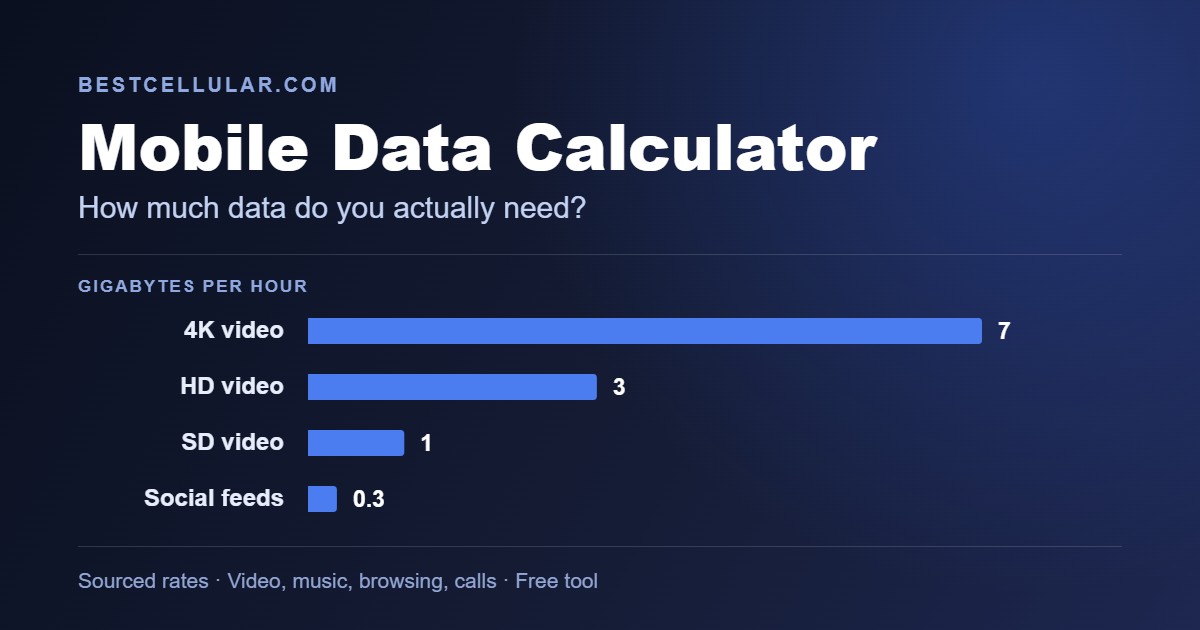
Video, by a wide margin: streaming, short-video apps and video calls. Music, maps and web browsing use far less. The calculator shows how much each activity adds up to per month.