
Carrier reference
APN Settings by Carrier
Look up the APN settings a US carrier publishes for Android, with the carrier’s own support page cited and dated.
APN settings tell your phone how to reach your carrier’s mobile data network. Access Point Name is the full term. Get it wrong and your phone still makes calls, but mobile data and picture messaging stop working. Use the tool below to look up what a carrier publishes for Android.
Every value on this page comes from the carrier’s own support documentation, with a link to the source and the date it was checked. Nothing here is copied from a forum or a settings aggregator. Where a carrier publishes nothing, this page says so and tells you the official way to get the settings instead.
Carriers that publish nothing are listed too, with the official way to get their settings.
On this page
- How to change APN settings on Android
- How to change APN settings on iPhone
- Why some carriers do not publish APN settings
- APN settings questions
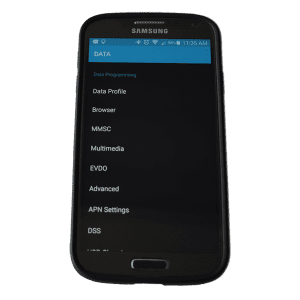
How to change APN settings on Android
The menu path moves between Android versions and manufacturers, but the sequence is the same.
- Open Settings.
- Tap Network & internet, then SIMs or Mobile network.
- Choose the SIM you are configuring.
- Tap Access Point Names.
- Tap the plus icon to add a new APN, or tap an existing one to edit it.
- Enter only the fields your carrier publishes. Leave every other field alone.
- Save from the three-dot menu, then select the new APN.
- Restart the phone.
Two mistakes cause most failures. The first is filling in fields the carrier never published, usually guessed from a search result. The second is editing the wrong SIM on a dual-SIM phone. If data still fails after a restart, delete the APN you created and let the phone rebuild it.
How to change APN settings on iPhone
iPhone hides the APN screen unless the carrier allows it. Go to Settings, then Cellular, then Cellular Data Network. If that row is missing, your carrier has locked the field and provisions the APN over the air.
On iPhone, the APN usually arrives in a carrier settings update. When a carrier tells you to install a profile instead, install it only from a link on the carrier’s own site.
Why some carriers do not publish APN settings
Roughly half the carriers people search for do not publish APN settings anywhere on their own websites. That is not an oversight. It is a deliberate choice, and it takes three forms.
Gated behind a lookup. The TracFone brands, including Straight Talk and Total Wireless, ask you to text the word APN to 611611 or enter your phone number in a lookup tool. The values exist, but they are matched to your SIM rather than published in a list.
Provisioned over the air. Verizon publishes Access Point Name articles for hotspots, modems and Windows, but not for Android phones. Metro by T-Mobile pushes settings to the device instead. In both cases the carrier expects the phone to configure itself.
Declined outright. A Spectrum Mobile employee stated on the carrier’s own forum that the settings are not provided, and advised against entering an APN by hand.
This is exactly why APN values found on aggregator sites are risky. Many are years old, some belong to a different network than the one the carrier uses now, and none of them are checked against the carrier. This page shows you the gap instead of filling it with a guess.
What each APN field means
The tool shows only the fields a carrier actually publishes. Here is what each one does, so you can tell which ones matter and which you can safely ignore.
APN is the only field that is always required. It is the name of the gateway your phone asks for when it connects to the data network. Everything else supports it.
APN name is just a label. It appears in your phone’s list of access points and has no effect on the connection. Name it anything you can recognise.
MMSC is the address of the carrier’s multimedia messaging server. If your data works but picture messages fail, this field is the usual cause.
MMS proxy and MMS port route picture messages through a specific server. Most carriers leave both blank. Filling them in when the carrier publishes nothing is the single most common way people break MMS.
APN type lists what the connection is allowed to carry. A value like default,supl,mms means ordinary data, location assistance and picture messaging all use this APN. Getting this wrong is what causes a phone to connect but refuse to send MMS.
APN protocol and roaming protocol choose between IPv4, IPv6 or both. Most US carriers now publish IPv4/IPv6.
MCC and MNC identify the country and the network. They are filled in automatically from your SIM, and you almost never need to change them.
Authentication type and bearer are left unset by nearly every US carrier. If the carrier does not publish a value, leave the field alone.
MVNO type and value tell the phone which SIM this APN belongs to. Mint Mobile publishes a GID value, for example, because several carriers share the same wholesale APN on the T-Mobile network.
Do APN settings work the same on eSIM?
Yes. An eSIM is a SIM that is built into the phone instead of sliding into a tray, and the APN behaves identically. The difference is practical: eSIM profiles are downloaded from the carrier and usually arrive with the APN already configured, so manual entry is needed less often.
If you run two lines on one phone, check which SIM you are editing before you change anything. On a dual-SIM Android phone the Access Point Names screen applies to the SIM you selected on the previous screen, and editing the wrong one is a common mistake. See how SIM cards and eSIM work for the full picture.
Carrier documentation this page cites
The carriers that do publish APN settings are worth reading at the source: T-Mobile APN settings, AT&T APN settings, Cricket Wireless APN settings and Mint Mobile APN settings. Each one is the source cited in the tool above, and the tool records the date it was last checked.
APN settings questions
What does APN stand for?
Access Point Name. It is the address your phone uses to reach the carrier’s data network.
Do I need to enter APN settings manually?
Usually not. A SIM from the carrier you are activating on normally configures itself. Manual APN settings matter most when you bring an unlocked phone to a smaller carrier, or when data works but picture messaging does not.
Why does my phone have no Access Point Names menu?
Some carriers lock the APN screen. On Android the menu is greyed out or missing, and on iPhone the Cellular Data Network row disappears. The carrier is provisioning the APN itself.
Do APN settings affect call quality or coverage?
No. The APN controls mobile data and picture messaging. Coverage is decided by the network your carrier runs on. Check which network a carrier uses on the carrier list, or compare signal on the coverage map.
Will the wrong APN damage my phone?
No. A wrong APN stops data from working until you correct or delete it. Nothing is permanent.