
Call Forwarding Codes by Network
Call forwarding is turned on and off with dial codes you enter on the phone itself, and this page lists the call forwarding codes for every US network. The code depends on the network your carrier runs on, not on who sends you the bill.
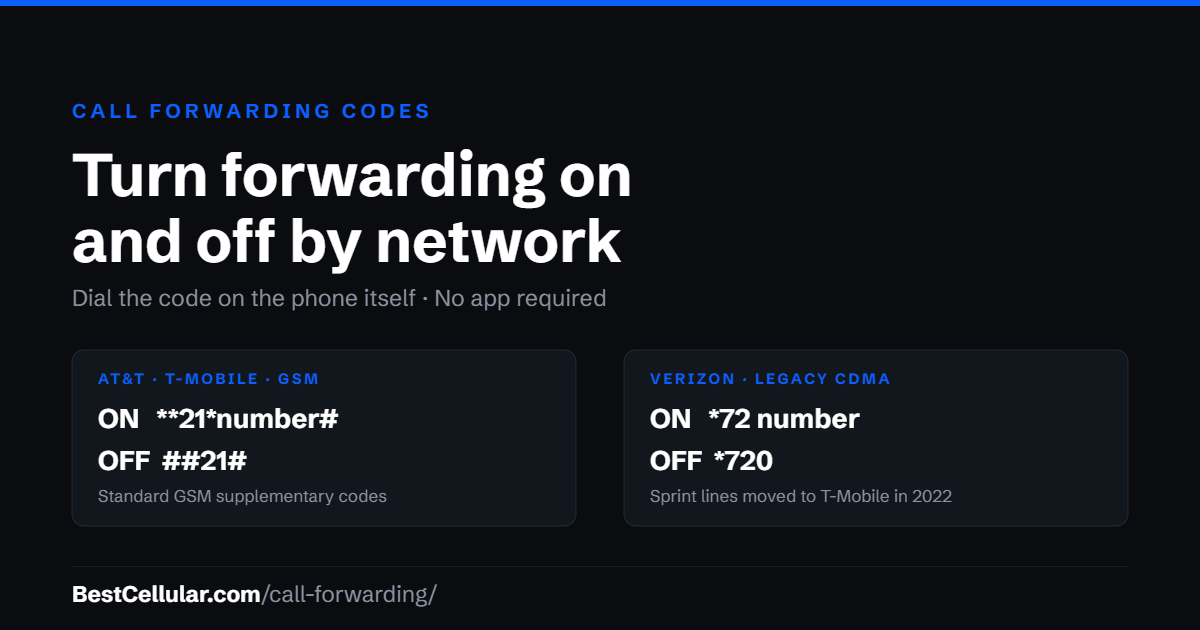
GSM networks: AT&T, T-Mobile and the carriers that run on them
Almost every US carrier now runs on AT&T or T-Mobile towers, and both use the same standard GSM codes. That includes the big MVNOs: Mint Mobile, Metro by T-Mobile, Cricket Wireless, Straight Talk, Total Wireless, Boost Mobile and hundreds of smaller brands. Replace XXXXXXXXXX with the 10-digit number you want calls sent to.
- Forward every call: dial **21*XXXXXXXXXX# and press call
- Stop forwarding: dial ##21# and press call
- Check whether forwarding is on: dial *#21# and press call
These are standard GSM supplementary service codes rather than carrier-specific ones, which is why they behave the same way whether you are on AT&T, T-Mobile or a reseller using their towers. The phone sends the request to the network and the network answers with a confirmation screen.
Verizon and legacy CDMA lines
Verizon grew out of the CDMA era and still answers the older star codes on most lines.
- Forward every call: dial *72 followed by the 10-digit number, then press call
- Stop forwarding: dial *720 and press call
Sprint used the same star codes, but Sprint’s network was shut down in 2022 and those lines were moved to T-Mobile or Boost Mobile. If you are holding what used to be a Sprint phone or a Sprint number, use the GSM codes above instead.
Conditional forwarding: busy, unanswered or unreachable
On GSM networks you do not have to forward everything. You can forward only when a call would otherwise go unanswered, which is how most small businesses use this.
- When the line is busy: **67*XXXXXXXXXX#
- When nobody answers: **61*XXXXXXXXXX#
- When the phone is off or out of service: **62*XXXXXXXXXX#
- Cancel every forwarding rule at once: ##002#
Each rule is independent, so you can forward unanswered calls to a cell phone and busy calls to an answering service without the two interfering.
What to do when a code returns an error
Some carriers disable dial codes and require you to set forwarding in their app or in your online account. A few bill forwarded minutes as outbound airtime, which is the part people discover on the next invoice. If a code fails, ask your carrier two specific questions: whether call forwarding is provisioned on your plan, and whether forwarded minutes are billed.
The settings menu is the other route. On Android, open the Phone app, then Settings, then Calls or Supplementary services, then Call forwarding. On iPhone, open Settings, then Apps, then Phone, then Call Forwarding. That menu item appears only on carriers that support it, so its absence is itself an answer.
Prepaid and Lifeline plans are the most common place forwarding is switched off entirely. If your carrier will not enable it, forwarding at the number level is the alternative: move the number to a carrier or a voice service that does support it.
Forwarding versus moving your number
Forwarding keeps your number with your current carrier and redirects the calls. Your account, your bill and your coverage all stay where they are. Moving the number is a different operation: it transfers the number to a new carrier, and it needs your account number and transfer PIN.
If moving is what you actually want, see how to port your number out or find your carrier for the exact account number and PIN steps. The FCC explains your right to keep the number in its guide to porting and keeping your phone number when you change providers. If calls or data stop working after a move, the APN settings by carrier page covers the other half of the setup.