
Here is how to get your Red Pocket Mobile account number and transfer PIN, and what to do with them when you move your number to another carrier.
Account Number
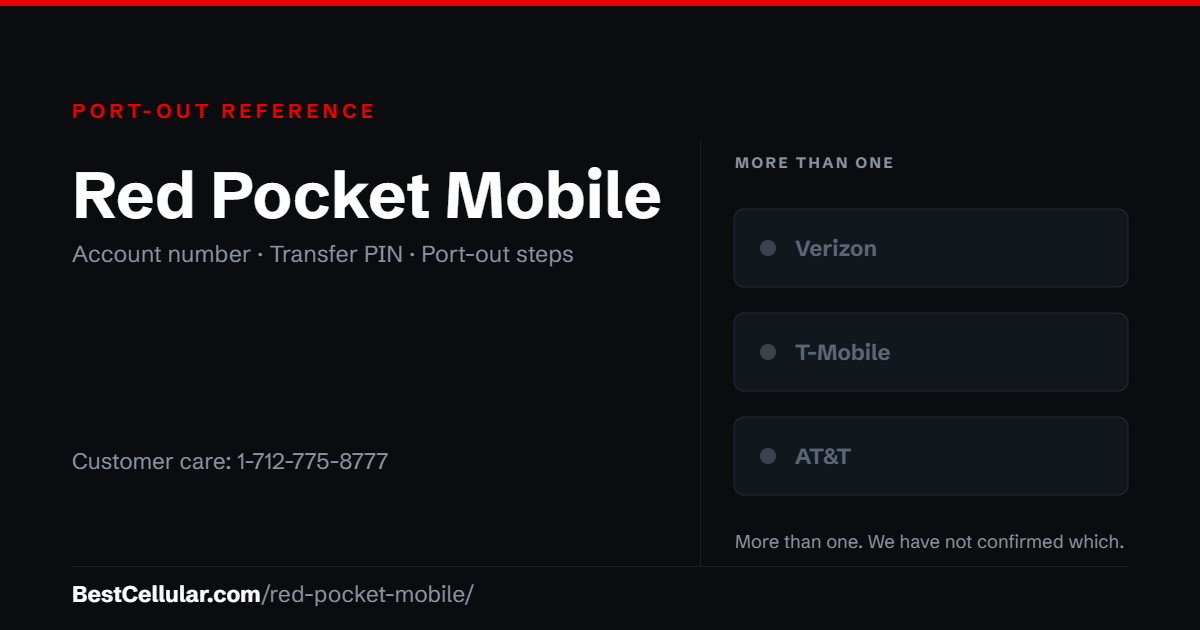
For a port-out, your Red Pocket account number is your phone number. The account number shown in your Red Pocket dashboard will not work — using it is the usual reason a Red Pocket transfer gets rejected.
Transfer PIN
Published sources disagree on the port-out PIN: some report the last four digits of your phone number, others the last four of your SIM’s ICCID. Call Red Pocket and confirm which applies to your plan before you start the transfer.
Red Pocket Mobile Contact Info
Customer Service: 1-712-775-8777
Alternate line: 1-888-993-3888
Help centre: help.redpocket.com
Live chat: redpocket.com
Red Pocket styles its own name both ways — RedPocket Mobile in its page titles and Red Pocket elsewhere on its site. We use Red Pocket Mobile throughout, which is also the form most people search for.
What network does Red Pocket Mobile use?
Red Pocket Mobile sells the same plan on all three national networks, and its plan codes tell you which one you are on: GSMA is AT&T, GSMT is T-Mobile and CDMAV is Verizon. Red Pocket calls the choice CoverageGenius. Your coverage is whichever network your SIM was issued on, so check the code on your plan before you judge the signal — or look the network up on coverage by carrier.
Red Pocket Mobile Porting Instructions
Do not use the account number in your dashboard. Red Pocket shows an account number under your current plan, and it does not work for a port-out. Using it is the usual reason a Red Pocket transfer gets rejected.
Your port-out account number is your phone number.
The PIN is the one thing to confirm by phone. Published reports disagree — some say the last four digits of your phone number, others the last four of your SIM’s ICCID. Call 1-712-775-8777 and ask which applies to your plan before you start. We are not going to guess on your behalf.
Cannot find your carrier? Browse the full list of US carriers and MVNOs.
Which Red Pocket network am I on?
Red Pocket calls the choice CoverageGenius, and the plan code on your account is the answer. GSMA is the AT&T network. GSMT is T-Mobile. CDMAV is Verizon. The code appears on your plan in the Red Pocket dashboard and on the SIM packaging it shipped in.
This matters more for Red Pocket than for a single-network carrier. Two people on the identical Red Pocket plan can get completely different coverage at the same address, because they are on different towers. If your signal is poor, the plan is not the problem — the network behind it is, and Red Pocket will move you to a different one.
Why a Red Pocket port-out gets rejected
Three reasons account for nearly all of them.
- The dashboard account number. Red Pocket displays an account number under your current plan. It is not the one the porting system accepts. Give your phone number instead.
- The wrong PIN. Published reports disagree on whether it is the last four digits of your phone number or the last four of your SIM’s ICCID. Confirm it on the phone rather than guessing — a rejected port costs you days.
- A name or address mismatch. The new carrier checks what you type against what Red Pocket holds on file, character for character. An apartment number Red Pocket does not have will fail the match.
Check the phone before you check the plan
Because Red Pocket sells on all three networks, the handset you are holding was approved for one of them, not all of them. A phone that works on a Red Pocket GSMA line is an AT&T-compatible phone; it may or may not be accepted on a Verizon or T-Mobile plan elsewhere.
Dial *#06# to get your IMEI and check it against the new carrier’s compatibility tool before you start the transfer, not after. The rules are the new carrier’s, not Red Pocket’s, and they are the most common reason a switch stalls after the number has already moved.
What you give up when you leave
Red Pocket sells annual plans as well as monthly ones, and an annual plan is paid up front. Time the transfer with that in mind — porting out ends the service, and the unused portion of a prepaid term is not something you want to discover after the number has already moved.
Keep the Red Pocket line active until the new carrier confirms the port completed. Cancelling first releases the number and the transfer fails.
Red Pocket Mobile APN settings
Red Pocket Mobile runs on more than one host network. These are the APN settings Red Pocket Mobile publishes for Android.
| APN name | RedPocket Mobile |
| APN | ERESELLER |
| MMSC | http://mmsc.mobile.att.net |
| MMS proxy | proxy.mobile.att.net |
| MMS port | 80 |
| APN type | default,supl,mms,fota |
| APN protocol | IPv4/IPv6 |
| Authentication type | None |
| Bearer | Unspecified |
| MCC | 310 |
| MNC | 410 |
The values above are for Red Pocket on AT&T. Red Pocket publishes no manual APN for its CDMA network.
Other APNs Red Pocket Mobile publishes
- WHOLESALE for Red Pocket on T-Mobile
Source: www.redpocket.com · Checked 2026-09-22.
Open the full APN settings tool for Red Pocket Mobile
How to activate with Red Pocket Mobile
Red Pocket sells the same plan on three networks, so the first decision is which one. The plan code tells you: GSMA is AT&T, GSMT is T-Mobile, CDMAV is Verizon. Pick the network your phone already works on and the compatibility problem disappears before it starts.
- Check the phone first. Dial
*#06#to pull the IMEI, then run it through Red Pocket’s handset check. A phone still locked to another carrier will not activate. - Choose the network, then the plan. Match the plan code to the network your phone is built for. Same price, different tower.
- Decide new number or port-in. You pick during activation. If you are keeping your number, do not cancel the old service first — the transfer closes it for you, and cancelling early releases the number.
- Have the old carrier’s details ready. A port-in needs the number, the account number and the transfer PIN from your current carrier. Get all three before you start.
- Activate the SIM or eSIM. Enter your confirmation code or the SIM’s ICCID. Red Pocket says a new ICCID can take up to 10 minutes to appear on the line.
Porting in from another carrier? The account number and PIN come from them, not from Red Pocket. Find your current carrier and we will tell you exactly where they keep both.
Check coverage before you port
Red Pocket Mobile uses more than one network, so your coverage depends on which one serves your address rather than on the brand on the bill. Check all three: Verizon, T-Mobile, AT&T.
Your right to keep the number is federal, not a carrier policy. The rule is the FCC’s: Portability: Keeping Your Phone Number When Changing Service Providers.
Working a counter? The Red Pocket Mobile transfer PIN lookup puts these steps on one screen and texts them to the customer.
Red Pocket Mobile and FreedomPop file under one FCC registration
Red Pocket Mobile is operated by Red Pocket Inc. of California, which has filed with the FCC under the same registration since 2009 — 17 years. The same registration also covers FreedomPop. The support line on file with the FCC, 1-888-993-3888, is the alternate line listed above; Red Pocket now leads with 1-712-775-8777 on its own site. Checked September 22, 2026 against the FCC Form 499 filer database.
Where Red Pocket Mobile customers usually go next
Red Pocket Mobile uses more than one network (AT&T, T-Mobile and Verizon). Which one your line runs on depends on the SIM you were issued, so check your IMEI with the new carrier before you switch. Dial *#06# to get it.
T-MobileCheck your IMEI first
VerizonCheck your IMEI first
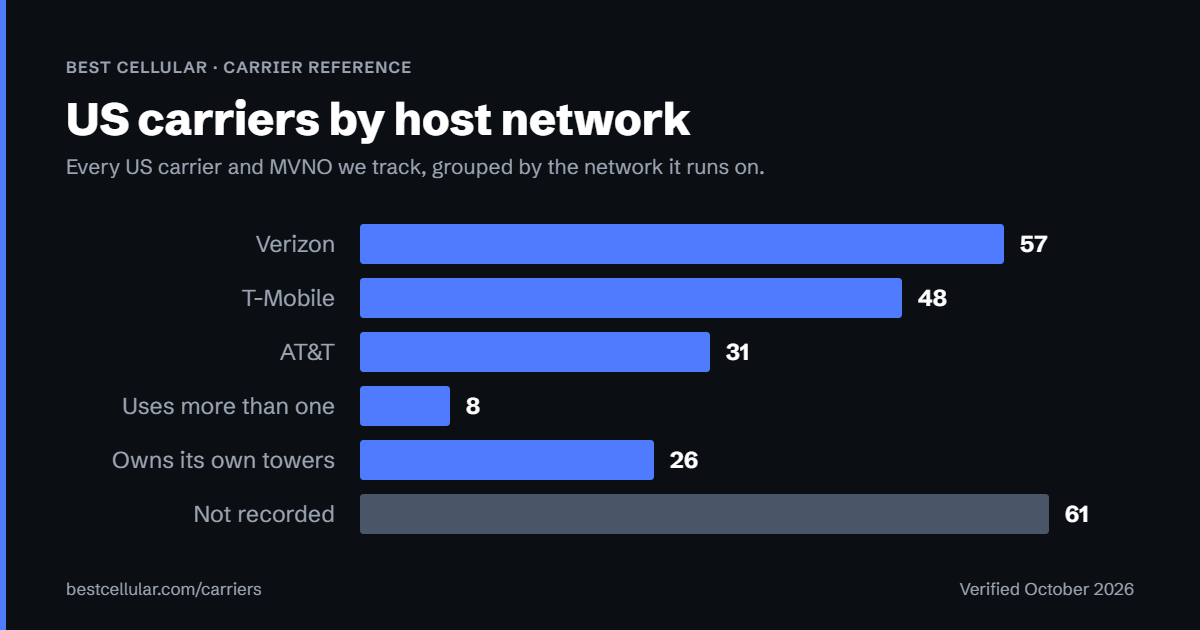
Compare every carrierEvery US carrier and MVNO, by network
Some links above are affiliate links. We may earn a commission if you switch through them, at no cost to you. We recommend by network compatibility first, not by what pays most.
Questions about Red Pocket Mobile
Can I keep my phone number when I leave Red Pocket Mobile?
Yes. Federal number portability rules let you take a working number to a new carrier. Red Pocket Mobile cannot refuse the transfer or charge you to release the number.
Should I cancel Red Pocket Mobile before I port my number out?
No. Cancel first and the number is released, which ends your right to move it. Keep the Red Pocket Mobile line active until the new carrier confirms the port completed.
How long does a port out from Red Pocket Mobile take?
A simple wireless transfer usually completes within one business day once the new carrier submits the correct Red Pocket Mobile account number and transfer PIN.
Does Red Pocket Mobile run on its own towers?
No. Red Pocket Mobile rides on more than one host network.
Cite this page
Port-out details last confirmed with Red Pocket Mobile on 1 October 2026.
Best Cellular. “Red Pocket Mobile Account Number & PIN: Accurate 2026,” BestCellular.com. https://bestcellular.com/red-pocket-mobile/
Free to reuse with credit. Licence, sources and the full dataset.
Check Red Pocket Mobile before you switch
Two free tools. No sign-up, nothing stored on our side.
Other carriers that use more than one network
These carriers also ride more than one network, so coverage depends on your address rather than the brand.
See which network every US carrier uses · Open the transfer PIN lookup