
Here is how to get your Kroger Wireless account number and transfer PIN, and what to do with them when you move your number to another carrier.
Account Number
Your Kroger Wireless account number is usually your 10-digit Kroger Wireless phone number. One guide says it is a separate 9-digit number. If unsure, call the port center at 866-434-7796 and ask for the account number before you switch.
Transfer PIN
Your transfer PIN is the 4 to 8 digit PIN you created when you activated Kroger Wireless. If you forgot it, call 866-434-7796 to reset it. Keep your line active until the new carrier confirms the move.
Two different account numbers are circulating, and they cannot both be right. One set of sources says the Kroger Wireless account number is your 10-digit phone number. Another says it is a separate 9-digit account number that only customer service can give you. We have traced both back to the same origin and neither has been confirmed by Kroger Wireless directly.
What to do about it: call 1-866-434-7796 and say exactly this — “I am transferring my number to another carrier. I need my account number and my port-out PIN.” Write down what they give you, character for character. That one call settles it in under five minutes and costs you nothing. Handing your new carrier a guessed account number is the single most common reason a port is rejected.
What you need to port out of Kroger Wireless
| What | Where to get it |
|---|---|
| Account number | Call 1-866-434-7796 and ask. Do not assume it is your phone number. |
| Transfer PIN | The 4 to 8 digit PIN set when the line was activated. Customer service can reset it. |
| Billing name and address | Exactly as Kroger Wireless has it. A mismatch here fails the port on its own. |
| Your phone number | The number you are moving. |
What network does Kroger Wireless use?
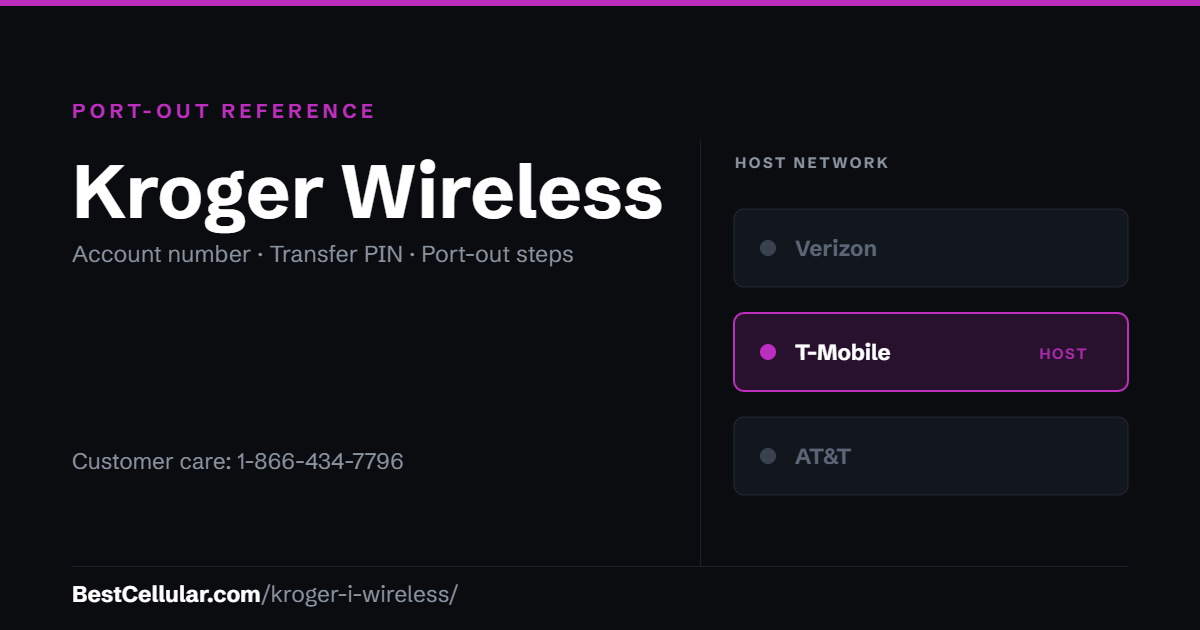
Kroger Wireless runs on the T-Mobile network. That is a change worth knowing about: the service launched in 2005 as i-wireless and spent most of its life as a Sprint MVNO. When Sprint’s network was retired in 2022, the service moved to T-Mobile.
For you, that means the phone in your hand is already T-Mobile-compatible. Any carrier running on T-Mobile will take it with no compatibility question. Moving to a carrier on AT&T’s or Verizon’s network is a different matter — check your IMEI against that carrier’s compatible device list first. Dial *#06# to get the IMEI.
Kroger Wireless contact information
| Purpose | Contact |
|---|---|
| Customer service | 1-866-434-7796 |
| Hours | Monday to Sunday, 8:00AM to 5:00PM Eastern |
| Account portal | krogerwireless.com, under My Account |
| In person | Kroger, Dillons, Ralphs, Fred Meyer and Fry’s locations that carry airtime |
Porting out of Kroger Wireless, step by step
- Confirm the phone is unlocked. Kroger Wireless publishes an unlocking policy on its own site; the phone has to meet it before any other carrier will accept the device.
- Call 1-866-434-7796 and get the account number and port-out PIN. Do this before anything else.
- Pick your new carrier. If you are staying on T-Mobile’s network, your phone is already compatible.
- Give the new carrier the account number, the PIN, and the billing name and address exactly as Kroger Wireless has them.
- Do not cancel your Kroger Wireless service. The number has to stay active for the transfer to complete. The port closes the old line for you.
- Keep the phone powered on until the new line is working.
Most transfers finish within a few hours. If yours is still pending after a business day, something you gave the new carrier did not match Kroger Wireless’s records — and the account number is the usual culprit.
Note for September 2026: Kroger Wireless has posted that it is running a scheduled system upgrade and cannot take online orders, with service expected back on Monday, September 21, 2026. Phone support is the reliable route while that is happening.
Check coverage before you port
Kroger Wireless (i-wireless) runs on the T-Mobile network, so the coverage you get at your address is T-Mobile coverage. Check it on T-Mobile’s own coverage map before you start the transfer.
Your right to keep the number is federal, not a carrier policy. The rule is the FCC’s: Portability: Keeping Your Phone Number When Changing Service Providers.
Working a counter? The Kroger Wireless (i-wireless) transfer PIN lookup puts these steps on one screen and texts them to the customer.
Where Kroger Wireless customers usually go next
Kroger Wireless runs on T-Mobile, so a T-Mobile-based carrier is the switch with no compatibility risk — your phone already works on that network.
Common questions
Is Kroger Wireless the same as i-wireless?
Yes. The service launched in 2005 as “i-wireless, a Kroger Co.” and was rebranded to Kroger Wireless in May 2019. The operating company is still i-wireless LLC, which is why you will see both names on paperwork and in older guides.
Is my Kroger Wireless account number my phone number?
Possibly, but do not rely on it. Two different answers circulate online and neither traces back to Kroger Wireless itself. Call 1-866-434-7796 and have them read it to you. It takes one call and removes the most common cause of a rejected port.
What is the Kroger Wireless transfer PIN?
The 4 to 8 digit PIN chosen when the line was activated. It is not your voicemail password. If you never set one, or the account was activated in a store by someone else, customer service can reset it.
Do I need to cancel Kroger Wireless before switching?
No, and you should not. A phone number can only be transferred from a line that is still active. Cancelling first releases the number, and once released it is usually gone permanently.
Will my phone work on a new carrier?
If the new carrier runs on T-Mobile’s network, almost certainly, because that is the network Kroger Wireless already uses. For AT&T or Verizon, check your IMEI against that carrier’s compatible device list before you commit. Dial *#06# to get it.
How long does a Kroger Wireless port take?
Usually a few hours. A transfer still pending after one business day almost always means a detail did not match — most often the account number.
Best Cellular is a free reference site published by Assertive Holdings, LLC. Some links on this page are affiliate links, which means we may earn a commission if you switch carriers through them, at no cost to you. It does not change what we publish, and where the conflicting account-number reports are concerned we have told you plainly that we cannot confirm either one. Verified September 2026.
Cite this page
Sources
BestCellular.com is an independent reference, not a carrier. Kroger Wireless (i-wireless) does not publish these steps on a page we could read, so the steps above come from the secondary sources below. Confirm them with Kroger Wireless (i-wireless) before you start. Checked October 13, 2026.
- Wikipedia: Kroger Wireless
- Kroger Wireless: FAQ
- Kroger Wireless: Home
- US Mobile: Carrier porting info
- US Mobile blog: Ready to transfer your number from Kroger Wireless?
- Ting: Carrier porting information
- Fierce Network: Sprint closing acquisition of Kroger’s i-wireless
Carriers change port-out steps without notice. Confirm with Kroger Wireless (i-wireless) before you start a transfer, and tell us if anything here has changed.
Best Cellular. “Kroger Wireless Account Number & PIN: Accurate 2026,” BestCellular.com. https://bestcellular.com/kroger-wireless/
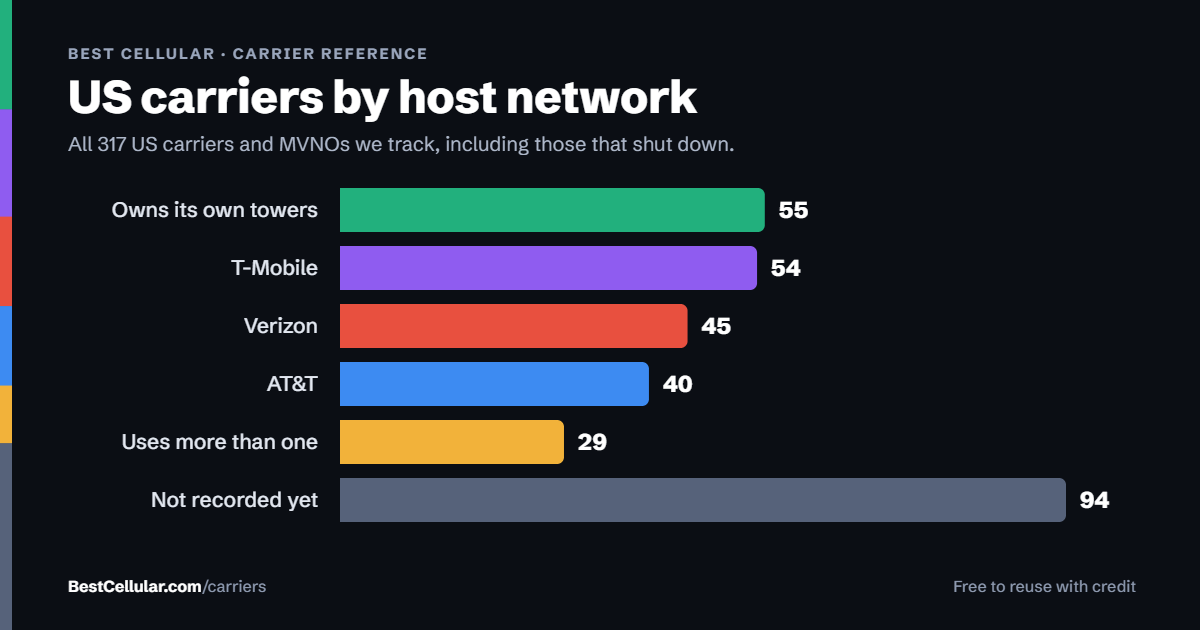
Free to reuse with credit. Licence, sources and the full dataset.
Check Kroger Wireless (i-wireless) before you switch
Two free tools. No sign-up, nothing stored on our side.
Other carriers on the T-Mobile network
These brands use the same towers as Kroger Wireless (i-wireless). Coverage is the same. Price, data priority when the network is busy, and customer service are not.
See which network every US carrier uses · Open the transfer PIN lookup