
Here is how to get your Mint Mobile account number and transfer PIN, and what to do with them when you move your number to another carrier.
Account Number
Your Mint Mobile account number is on the top right corner of your bill or in your online account portal. Total Wireless describes it as a 12-digit number. Keep your billing address handy too, because your new carrier will ask for it.
Transfer PIN
Mint creates your Number Transfer PIN (port-out PIN) only when you ask for it. Contact Mint support by chat or call 800-683-7392. It is not your account security PIN or your phone passcode. No length or expiry was stated on Mint’s own pages.
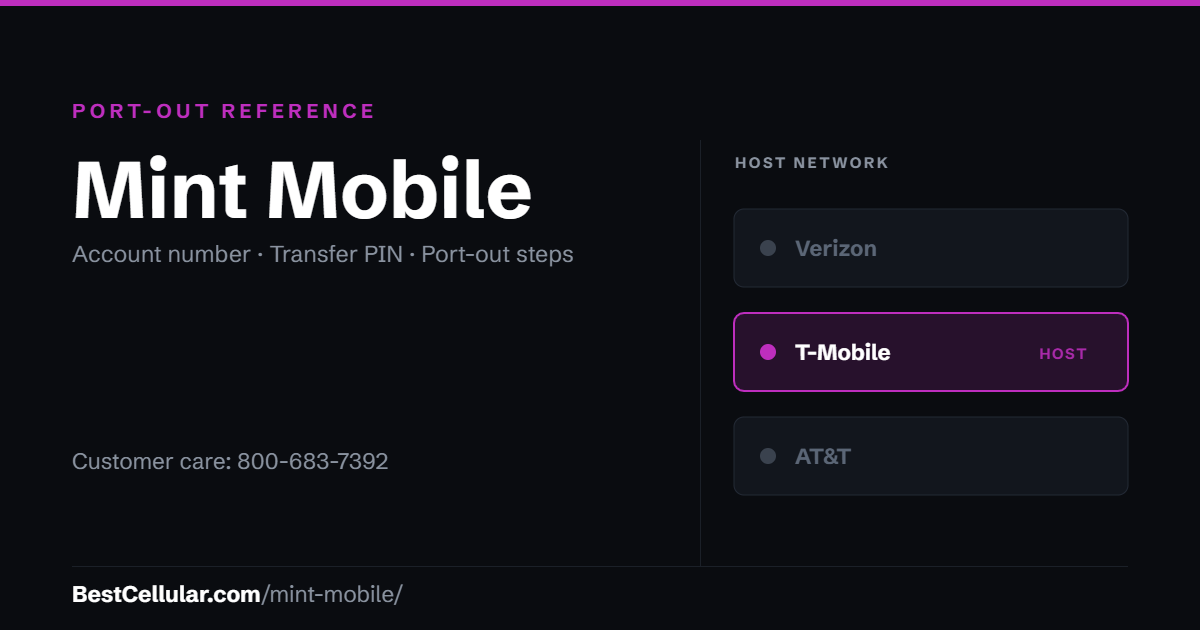
How to get your Mint Mobile account number and transfer PIN
Care is open 7 days a week, 5:00AM to 7:00PM Pacific.
- Turn off Number Lock first. In the Mint app: Account (bottom right) → scroll to Security → Number Lock → toggle off. On the web: my.mintmobile.com → My Account → My Profile & Security → Number Lock.
- Check your email address is current under My Details before you touch Number Lock. Disabling it sends a one-time code to your Mint number or email, and a stale email can lock you out of your own account.
- Contact care. Dial 611 from the Mint phone, call 800-683-7392, or open chat at mintmobile.com/chat.
- Ask for both the account number and the number transfer PIN. Write them down exactly as given.
- Give them to your new carrier the same day. Mint says the PIN may be temporary, and Mint publishes no expiry window – so treat it as short.
Before you start the transfer
- Do not cancel Mint first. Mint states plainly that your service must be active with your original carrier for them to release your number. Cancel first and the number is gone.
- Check your phone is unlocked if you are keeping the device. Mint does not block a phone when you leave, but a phone still locked to another carrier will not work elsewhere.
- The transfer PIN is not your account password and not the one-time code Mint texts you at login. It is a separate number that only care can issue.
Check coverage before you port
Mint Mobile runs on the T-Mobile network, so the coverage you get at your address is T-Mobile coverage. Check it on T-Mobile’s own coverage map before you start the transfer.
Your right to keep the number is federal, not a carrier policy. The rule is the FCC’s: Portability: Keeping Your Phone Number When Changing Service Providers.
Working a counter? The Mint Mobile transfer PIN lookup puts these steps on one screen and texts them to the customer.
Mint Mobile registered with the FCC in 2019
Mint Mobile, based in Washington, has filed with the FCC under the same registration since 2019 — 7 years. The customer-inquiries line on file with the FCC is 1-213-372-7777. It is a separate contact from the support number above, and worth trying if that line goes nowhere. Checked September 22, 2026 against the FCC Form 499 filer database.
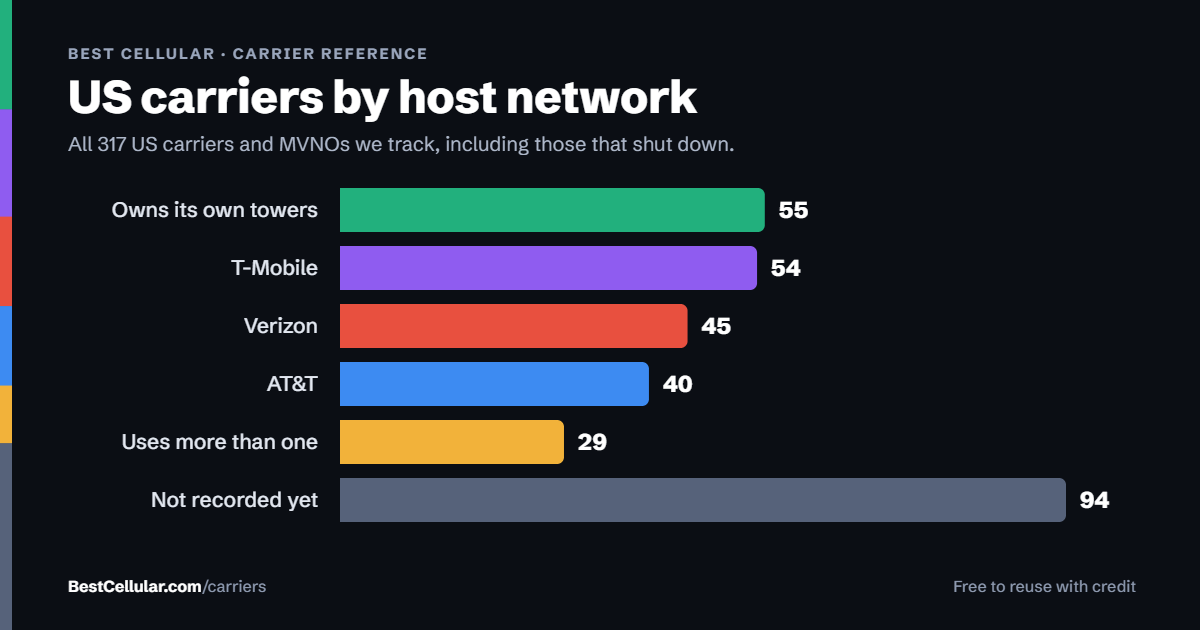
Same towers, different price
Mint Mobile runs on T-Mobile’s network
Mint is owned by T-Mobile and rides T-Mobile towers. If the coverage works where you live, you can stay on the same network and still leave Mint.
Metro by T-MobileT-Mobile network, T-Mobile owned. Prepaid with in-store support.See how to switch →
Compare every carrierEvery US carrier and MVNO, by networkBrowse the directory →
Sorted by price, cheapest first – not by what pays us. We filter by network first so you can check the coverage claim yourself. Best Cellular is not a wireless carrier and does not sell service. Some links on this site may earn a commission. Full disclosure.
Mint Mobile contact information
- Customer care: 800-683-7392, or dial 611 from your Mint phone
- Chat: mintmobile.com/chat
- Hours: 7 days a week, 5:00AM – 7:00PM Pacific
- No dedicated porting line is published – general care handles transfers
Common questions about leaving Mint Mobile
What towers does Mint Mobile use?
Mint Mobile uses T-Mobile towers. T-Mobile acquired Mint’s parent company Ka’ena Corp in 2024, so Mint is now a T-Mobile-owned brand running on the T-Mobile network. Mint’s own help pages describe its coverage as T-Mobile 5G and say LTE reaches 99% of Americans.
What network does Mint Mobile use?
T-Mobile. Mint has never run on AT&T or Verizon.
How long is a Mint Mobile transfer PIN good for?
Mint does not publish an expiry window. Mint’s own guidance is that the PIN may be temporary and should be requested only when you are ready to transfer, and its number-transfer article notes that PINs from some carriers expire if the port is not completed promptly. Treat it as valid for hours, not days.
Can I get my Mint account number from a bill?
No. Mint is prepaid and does not issue a monthly statement, so there is no bill to read it from. Guides that say otherwise are copying instructions from postpaid carriers.
Does Number Lock stop me from porting out of Mint?
Number Lock protects your SIM from unauthorized changes and can switch on automatically if Mint sees suspicious activity. Mint does not state explicitly that it blocks a port-out, but it is the account lock to clear before you switch, and care may not release your information while it is on.
Do I have to cancel Mint before switching?
No, and you should not. Your Mint line has to stay active for the number to release. The port closes the Mint line for you once it completes.
Cite this page
Sources
BestCellular.com is an independent reference, not a carrier. Mint Mobile does not publish these steps on a page we could read, so the steps above come from the secondary sources below. Confirm them with Mint Mobile before you start. Checked October 13, 2026.
- Mint Mobile: Can I bring my current phone number to Mint Mobile? (help search result)
- Mint Mobile: 5G Coverage Map
- Boost Mobile Help: Mint Mobile (number transfer)
- Total Wireless: Carrier List and Info Required to Port Your Number
Carriers change port-out steps without notice. Confirm with Mint Mobile before you start a transfer, and tell us if anything here has changed.
Best Cellular. “Mint Mobile Account Number & PIN: Accurate 2026,” BestCellular.com. https://bestcellular.com/mint-mobile/
Free to reuse with credit. Licence, sources and the full dataset.
Check Mint Mobile before you switch
Two free tools. No sign-up, nothing stored on our side.
Mint Mobile APN settings
Mint Mobile runs on the T-Mobile network. These are the APN settings Mint Mobile publishes for Android.
| APN name | Mint |
| APN | Wholesale |
| MMSC | http://wholesale.mmsmvno.com/mms/wapenc |
| MMS port | 8080 |
| APN type | default,supl,mms,ia |
| APN protocol | IPv4/IPv6 |
| Roaming protocol | IPv4/IPv6 |
| MVNO value | 756D |
Source: www.mintmobile.com · Checked 2026-09-22.
Open the full APN settings tool for Mint Mobile
Other carriers on the T-Mobile network
These brands use the same towers as Mint Mobile. Coverage is the same. Price, data priority when the network is busy, and customer service are not.
See which network every US carrier uses · Open the transfer PIN lookup