
Here is how to get your Optimum Mobile account number and transfer PIN, and what to do with them when you move your number to another carrier.
Account Number
Sign in to MyMobile. Your Optimum Mobile account number shows at the top center of the screen. Give it to your new carrier together with your Transfer PIN and the ZIP code on your account.
Transfer PIN
Contact Optimum Mobile, available 24/7, to request a Transfer PIN. It is generated at random, differs from your purchase PIN, arrives by email and text and is good for 7 days. Call 866.200.7186 or dial 611.
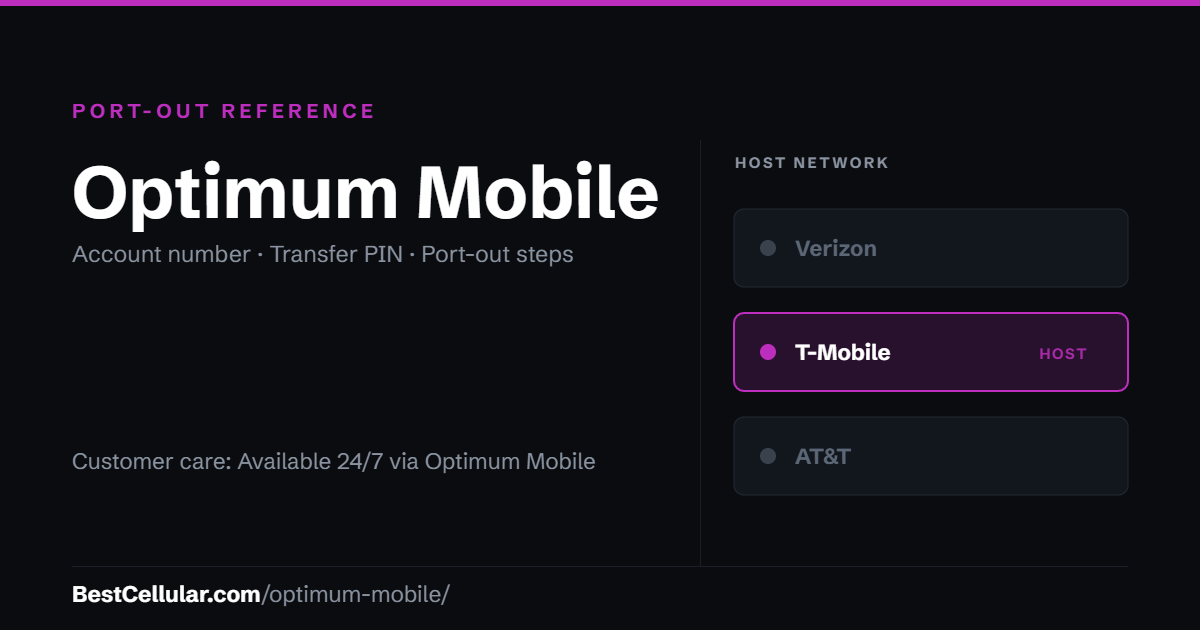
Optimum Mobile runs on T-Mobile
Optimum states it in its own mobile broadband disclosure: its data services are offered to customers over the T-Mobile 4G LTE and 5G mobile broadband networks. A phone that worked on Optimum Mobile is T-Mobile-compatible, so T-Mobile itself and any T-Mobile-based carrier will almost certainly take it.
Moving to a carrier on AT&T’s or Verizon’s network is a different question. Check your IMEI against that carrier’s compatible device list before you start the transfer.
Optimum Mobile Contact Info
- Chat: available 24/7 from the Optimum Mobile support site
- Customer Service and Technical Support: 866.200.7186, weekdays 8 AM – 10 PM Eastern, Saturday and Sunday 8 AM – 8 PM EST, as Optimum publishes them
- From an Optimum Mobile phone: dial 611
- Outside the US: 631.414.3508
How to port your number away from Optimum Mobile
- Contact Optimum Mobile support and request your Transfer PIN. Optimum says an expert is reachable 24/7, and the PIN is sent by email and text.
- Collect three things: the Optimum Mobile account number, the Transfer PIN, and the zip code on the account.
- Check the PIN is current. It is good for 7 days. Request a replacement if yours has aged out.
- Start the port from the new carrier. The FCC’s guide advises against cancelling the old service first.
- Keep the line active until the new carrier confirms the number has moved.
Why an Optimum Mobile port gets rejected
Three causes account for most of them: an expired Transfer PIN, the wrong zip code, or using the identity PIN set at purchase instead of the Transfer PIN. Optimum is explicit that these are two different PINs. Never guess a transfer PIN. Ask Optimum for a fresh one.
Sources
Optimum Mobile, How do I transfer my number (port out) to a new carrier? — the three required items, the 24/7 request path, and the 7-day expiry.
Optimum Mobile, Contact Us — chat and phone hours.
Optimum, Mobile Broadband Disclosure — the T-Mobile network statement.
FCC, Portability: Keeping Your Phone Number When Changing Service Providers — the federal number-portability rules.
Sources read October 11, 2026.
Where Optimum Mobile customers usually go next
Optimum runs on T-Mobile, so a T-Mobile-based carrier is the least disruptive switch — your phone is already compatible.
Optimum Mobile port-out questions
What network does Optimum Mobile use?
T-Mobile. Optimum names it in its own mobile broadband disclosure, so this is the carrier’s published answer rather than an inference.
How long is the Optimum Mobile Transfer PIN valid?
Seven days. Request it when you are ready to move, and ask for a replacement if it expires.
Is the Transfer PIN the same as my account PIN?
No. Optimum states the Transfer PIN is different from the PIN set at the time of purchase to verify your identity. Optimum also calls it the Port Out PIN.
Where is my Optimum Mobile account number?
Optimum’s port-out article lists the account number as required but does not say where it is displayed. Ask Optimum support for it when you request the Transfer PIN, since both come from the same contact.
Do I need my zip code to port out?
Yes. Optimum lists the zip code associated with the account alongside the account number and Transfer PIN.
Will my Optimum Mobile phone work elsewhere?
On T-Mobile-based carriers, almost certainly. For AT&T or Verizon networks, check your IMEI against that carrier’s compatible device list first.
Should I cancel Optimum Mobile before porting?
No. Start the port from the new carrier and let the old line close when the port completes. Cancelling first can cost you the number.
How long does an Optimum Mobile port take?
The FCC requires a simple port to be processed within one business day, and a wireless-to-wireless move can finish in a few hours.
Cite this page
Sources
BestCellular.com is an independent reference, not a carrier. We read each fact above on Optimum Mobile’s own pages. Checked October 13, 2026.
- Optimum Mobile Support: How do I transfer my number (port out) to a new carrier?
- Optimum Mobile Support: Contacting Optimum Mobile
Carriers change port-out steps without notice. Confirm with Optimum Mobile before you start a transfer, and tell us if anything here has changed.
Best Cellular. “Optimum Mobile Account Number & PIN: Accurate 2026,” BestCellular.com. https://bestcellular.com/optimum-mobile/
Free to reuse with credit. Licence, sources and the full dataset.
Check Optimum Mobile before you switch
Two free tools. No sign-up, nothing stored on our side.
Other carriers on the T-Mobile network
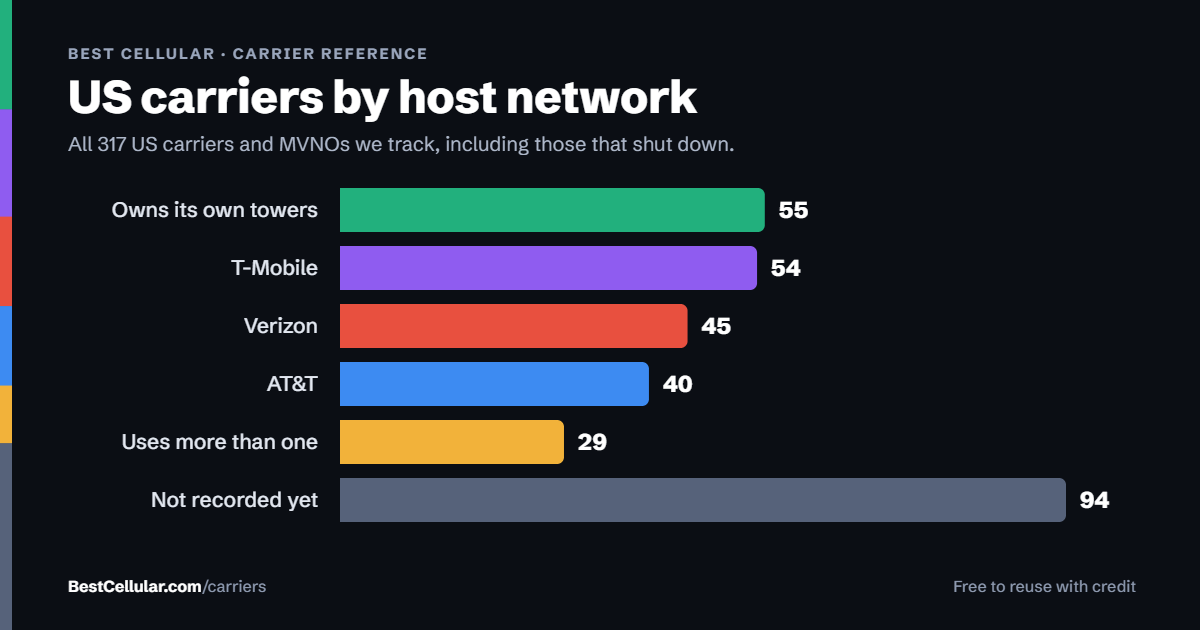
Every one of these rides the same towers. Coverage is identical; price, support and port-out rules are not.
See which network every US carrier uses · Open the transfer PIN lookup