
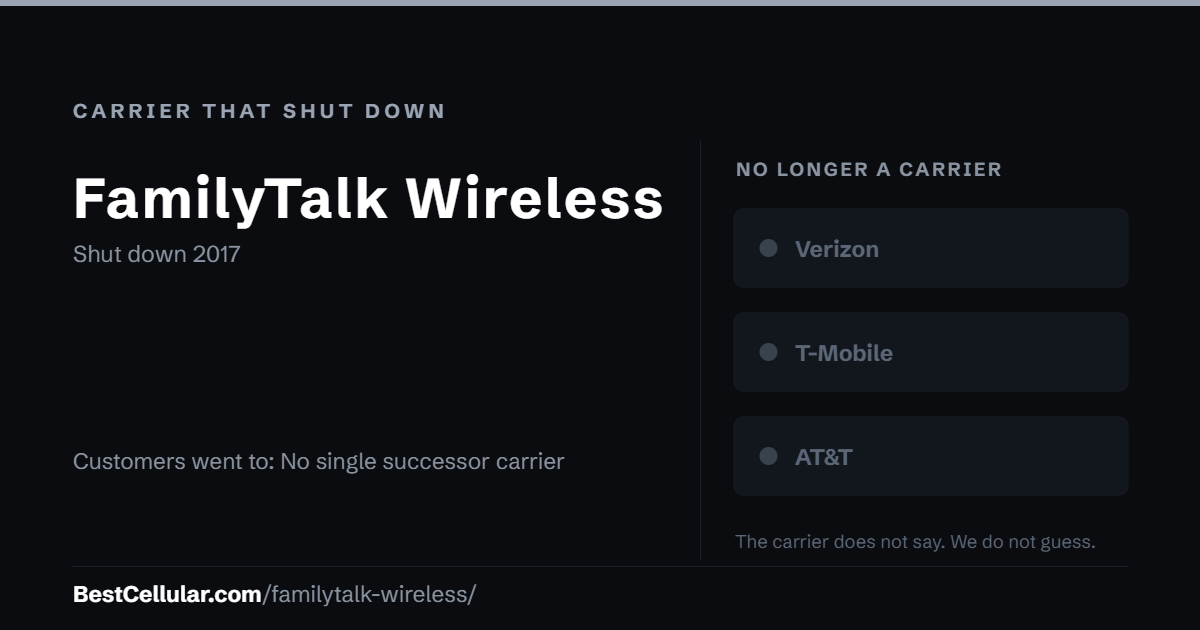
FamilyTalk Wireless was a US mobile virtual network operator that sold service to personal customers on the AT&T, Sprint and Verizon networks. Wikipedia lists it as defunct, with an end date of 2017. The sources we read do not say why it closed or where its customers went.
FamilyTalk Wireless is gone
FamilyTalk Wireless no longer sells service. Wikipedia’s list of US mobile virtual network operators places it in the defunct table with an end date of 2017. It served personal customers and resold capacity on the AT&T, Sprint and Verizon networks. No source we read gives an exact shutdown day, a reason, or a buyer.
If you had a FamilyTalk Wireless line
No source names a carrier that took over FamilyTalk Wireless customers. If your old number still works, it now sits with whichever carrier bills you today. Ask that carrier for your account number and transfer PIN before you switch. If the number lapsed when service ended, it may no longer be recoverable.
How FamilyTalk Wireless ended
- 2017: Service ends, per the End date column in Wikipedia’s defunct US mobile virtual network operator table.
Why FamilyTalk Wireless ended
The sources we read do not say why FamilyTalk Wireless shut down. Wikipedia records only the year, 2017, and leaves the notes column empty. No press release, regulatory filing or news report we found explains the closure or names a buyer, so BestCellular.com does not claim a cause.
How to find who holds an old number now
- Check an old bill or payment record. It names the company that billed you last.
- Run the number through a carrier lookup tool. It shows the carrier that holds the number today.
- Call that carrier and ask for the account number and transfer PIN.
- Start the port from the new carrier. Never cancel the old line first.
Your right to keep a number
Number portability is federal law, not a carrier policy. The rule is the FCC’s: Portability: Keeping Your Phone Number When Changing Service Providers.
How we verified FamilyTalk Wireless
BestCellular.com tracks active carriers and defunct ones. We keep both, because people still search for brands that no longer exist. Every fact on this page comes from the sources listed below, and we leave a detail out when no source states it. Where sources disagree, this page says so. If you can document a correction, tell us and we will check it against the sources.
Tracked and active are different counts on this site. FamilyTalk Wireless counts in our tracked total, not in our active total, so it does not appear in tools built for live carriers.
Questions about FamilyTalk Wireless
Is FamilyTalk Wireless still available?
No. Wikipedia lists FamilyTalk Wireless in its table of defunct US mobile virtual network operators, with service ending in 2017. There is no way to sign up or manage an account today.
Which network did FamilyTalk Wireless use?
Wikipedia lists three host networks for FamilyTalk Wireless: AT&T, Sprint and Verizon, using UMTS, CDMA and LTE technology. The source does not say which network served which plans or phones.
What happened to FamilyTalk Wireless customers?
The sources we read do not say. No carrier is named as taking over FamilyTalk Wireless accounts. If you still use an old FamilyTalk number, the carrier that bills you now holds it and can give you a transfer PIN.
Can I still port a FamilyTalk Wireless number?
Only if the number stayed active after 2017 with another carrier. FamilyTalk Wireless cannot issue transfer PINs. Contact the carrier on your current bill for the account number and PIN, then start the port with your new carrier.
Sources
Checked October 13, 2026.
- Wikipedia: List of mobile virtual network operators in the United States: Defunct table row: Personal market, hosts AT&T, Sprint, Verizon; UMTS, CDMA and LTE; End date 2017. Read 2026-10-13.
Best Cellular. “FamilyTalk Wireless: What Happened,” BestCellular.com. https://bestcellular.com/familytalk-wireless/
Free to reuse with credit. Licence, sources and the full dataset. All defunct carriers are listed on carriers that shut down.