
Here is how to get your Assurance Wireless account number and transfer PIN, and what to do with them when you move your number to another carrier.
Account Number
Assurance publishes no self-service path and its My Account login uses your phone number and PIN rather than an account number. Dial 611 from your Assurance phone or call 1-888-321-5880 and ask care for the account number.
Transfer PIN
You need a Temporary Port Out PIN, requested from care by dialing 611 or calling 1-888-321-5880. Assurance states a number cannot be transferred to another carrier without one.
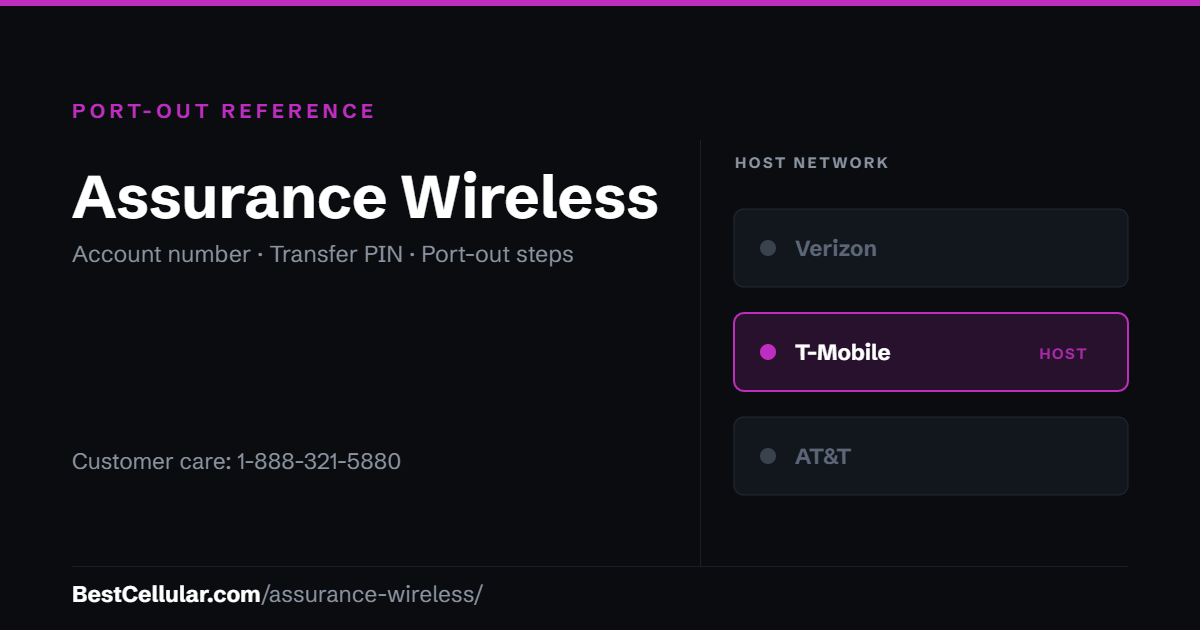
How to get your Assurance Wireless Temporary Port Out PIN
There is no published self-service article for this. Everything routes through care.
- Check whether Port Out Protection is on. Assurance offers SIM Protection and Port Out Protection. If either is enabled, the transfer will be blocked until it is cleared. Call 611 or use My Account to check and remove it.
- Call care. Dial 611 from your Assurance phone or call 1-888-321-5880.
- Ask specifically for the Temporary Port Out PIN – say those words. Asking for “my PIN” gets you the Account PIN, which will fail.
- Ask for the account number in the same call. You need both.
- Submit the transfer at your new carrier immediately. The PIN is called Temporary for a reason, though Assurance publishes no exact window.
Before you start the transfer
- Thirty days of no usage kills the line. Assurance states that if you go 30 days without using the service it is discontinued, and after a warning notice you get 15 days to place a call, send a text or use mobile data. Call forwarding does not count as usage. A discontinued line cannot be ported – you would have to reapply for Lifeline and start over.
- Missing annual recertification cancels service too, with the same consequence for your number.
- Do not cancel first. The line must stay active for the number to release.
- Your Lifeline benefit does not move by itself. Porting the number out does not transfer the discount – you have to enroll at the new provider. Only one Lifeline benefit is allowed per household, so a gap can leave you paying full price for a while.
Check coverage before you port
Assurance Wireless runs on the T-Mobile network, so the coverage you get at your address is T-Mobile coverage. Check it on T-Mobile’s own coverage map before you start the transfer.
Your right to keep the number is federal, not a carrier policy. The rule is the FCC’s: Portability: Keeping Your Phone Number When Changing Service Providers.
Working a counter? The Assurance Wireless transfer PIN lookup puts these steps on one screen and texts them to the customer.
Assurance Wireless is operated by Assurance Wireless USA, L.P.
Assurance Wireless is operated by Assurance Wireless USA, L.P. of Washington, which has filed with the FCC under the same registration since 2002 — 24 years. The customer-inquiries line on file with the FCC is 1-800-937-8997. It is a separate contact from the support number above, and worth trying if that line goes nowhere. Checked September 22, 2026 against the FCC Form 499 filer database.
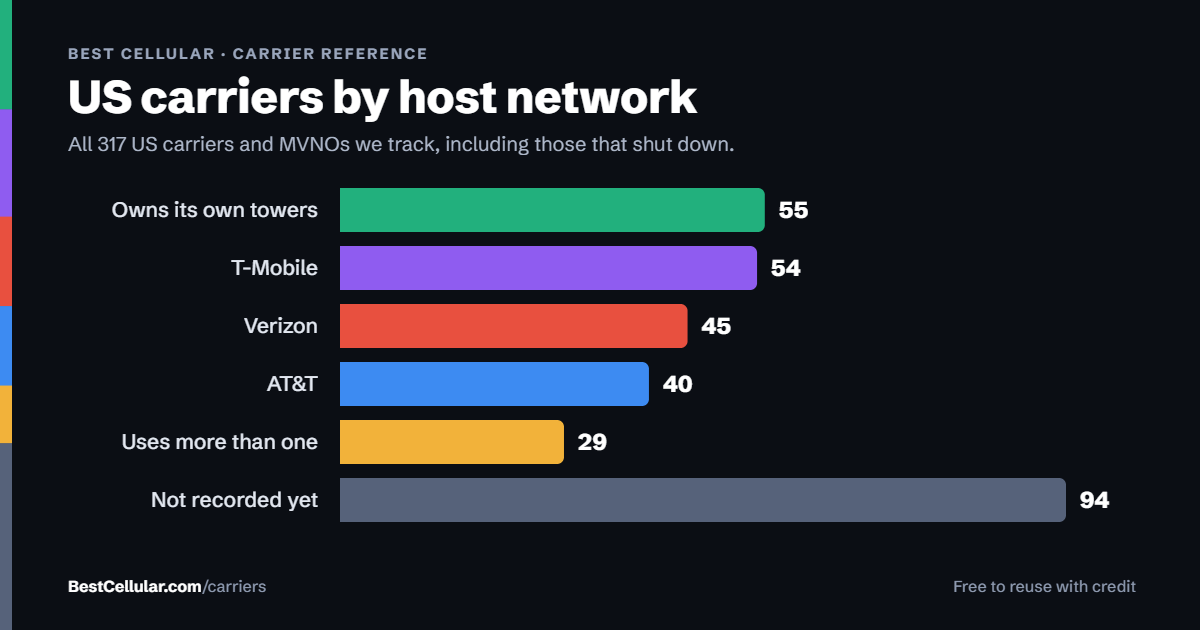
Same towers, different price
Assurance Wireless runs on T-Mobile’s network
Assurance’s own help center states it operates on the T-Mobile network. T-Mobile has owned the brand since the Sprint merger closed in April 2020. If T-Mobile coverage works where you live, you can keep the same towers.
TruConnectLifeline provider on T-MobileSee the carrier page →
Metro by T-MobileT-Mobile network — paid plan, Lifeline benefit endsSee how to switch →
Compare every carrierEvery US carrier and MVNO, by networkBrowse the directory →
Sorted by price, cheapest first – not by what pays us. We filter by network first so you can check the coverage claim yourself. Best Cellular is not a wireless carrier and does not sell service. Some links on this site may earn a commission. Full disclosure.
Assurance Wireless contact information
- From your Assurance phone: dial 611 – advertised as reaching Customer Care 24/7
- Customer Care: 1-888-321-5880
- Hours: Assurance’s help hub lists Monday – Sunday, 7:00AM – 7:00PM Central for 1-888-321-5880, while its account-security page presents both numbers as 24/7. Plan around the 7-to-7 window.
- Coverage questions: 1-888-898-4888
- Note: assurancewireless.com/contact-us currently returns a 404 – there is no working dedicated contact page
Common questions about leaving Assurance Wireless
What towers does Assurance Wireless use?
T-Mobile towers. Assurance’s own help center states that it operates on the T-Mobile network. The brand began life under Virgin Mobile USA in 2009 and passed to T-Mobile in April 2020 when the Sprint merger closed.
What network does Assurance Wireless use?
T-Mobile, nationwide.
What is the difference between my Assurance Account PIN and the Port Out PIN?
The Account PIN is the 6-digit number created during your application – it is on your Welcome Letter, and Assurance uses it to verify you. The Temporary Port Out PIN is a separate number issued on request that authorizes another carrier to take your number. Assurance’s own pages disagree on PIN length, describing accounts as protected by a 6-digit PIN in one place and a 6-to-15 digit PIN in another, so read back exactly what care gives you.
How long is an Assurance Wireless Port Out PIN good for?
Assurance publishes no validity period. The name Temporary implies a short one. Request it immediately before your new carrier submits the transfer.
Why did my Assurance Wireless port-out get rejected?
Most often: the Account PIN was given instead of the Temporary Port Out PIN; Port Out Protection or SIM Protection was still switched on; or the line had already been discontinued for 30 days of non-usage or a missed annual recertification.
Will my Lifeline discount move to the new carrier?
Not automatically. You have to enroll in Lifeline at the new provider. Only one Lifeline benefit is permitted per household, so the discount ends at Assurance once it transfers, and any gap is time at full price.
Cite this page
Sources
BestCellular.com is an independent reference, not a carrier. We read each fact above on Assurance Wireless’s own pages. Checked October 13, 2026.
- Assurance Wireless Help Center: Account Security (Temporary Port Out PIN)
- Assurance Wireless: Home (T-Mobile network, 1-888-321-5880)
- Assurance Wireless Help Center: How do I keep my current phone number
Carriers change port-out steps without notice. Confirm with Assurance Wireless before you start a transfer, and tell us if anything here has changed.
Best Cellular. “Assurance Wireless Account Number & PIN: Accurate 2026,” BestCellular.com. https://bestcellular.com/assurance-wireless/
Free to reuse with credit. Licence, sources and the full dataset.
Check Assurance Wireless before you switch
Two free tools. No sign-up, nothing stored on our side.
Other carriers on the T-Mobile network
These brands use the same towers as Assurance Wireless. Coverage is the same. Price, data priority when the network is busy, and customer service are not.
See which network every US carrier uses · Open the transfer PIN lookup