
Here is how to get your Google Fi account number and transfer PIN, and what to do with them when you move your number to another carrier.
Account Number
In the Google Fi app or at fi.google.com: Account → Manage plan → scroll to Leave Google Fi → Transfer your number to another carrier → Get Transfer Info. The account number and the PIN are on the same screen.
Transfer PIN
Generated on that same Get Transfer Info screen. It expires 14 days after you request it, and Google states the information is case-sensitive.
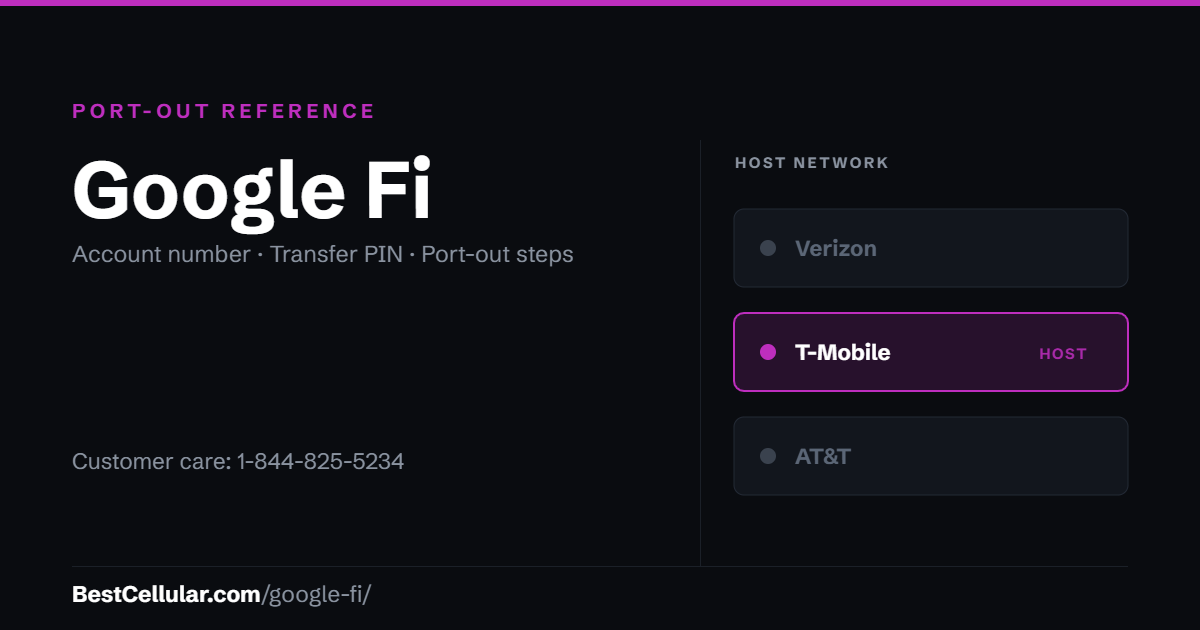
How to get your Google Fi account number and transfer PIN
Both come from the same screen, and you reach it through the cancellation flow – which does not actually cancel anything.
- Turn off Number Lock first. At fi.google.com: Phone settings → Privacy & security → Sign in to manage Number lock → re-authenticate → toggle it off. With Number Lock on, you cannot port your number to another carrier at all.
- Open the Google Fi app or go to fi.google.com/account.
- Go to Account → Manage plan.
- Scroll to Leave Google Fi and choose Transfer your number to another carrier.
- Under the cancellation-pending banner, tap Get Transfer Info. Your account number appears here, with a button to generate the transfer PIN.
- Copy both exactly. Google states the information is case-sensitive, and the name and address you give the new carrier must match what Fi has on file.
Before you start the transfer
- Starting the cancellation flow does not cancel your service. Google is explicit: Fi stays active until your number successfully transfers.
- Never pause the line. Pausing during a transfer fails the port.
- Do not lose access to your Google Account. Google states that if Number Lock is on and you lose access to the Google Account, Fi cannot provide your port-out parameters at all. There is no workaround.
- Use the PIN within 14 days. If it goes unused past that, repeat the Get Transfer Info steps for a new one.
Formerly Project Fi. Google renamed the service in November 2018. If the account predates the rename, see Project Fi for the history and what changed.
Check coverage before you port
Google Fi runs on the T-Mobile network, so the coverage you get at your address is T-Mobile coverage. Check it on T-Mobile’s own coverage map before you start the transfer.
Your right to keep the number is federal, not a carrier policy. The rule is the FCC’s: Portability: Keeping Your Phone Number When Changing Service Providers.
Working a counter? The Google Fi transfer PIN lookup puts these steps on one screen and texts them to the customer.
Google Fi and Google Fi file under one FCC registration
Google Fi is operated by Google North America Inc. of California, which has filed with the FCC under the same registration since 2015 — 11 years. The same registration also covers Google Fi. The support line on file with the FCC, 1-844-825-5234, matches the number published above. Checked September 22, 2026 against the FCC Form 499 filer database.
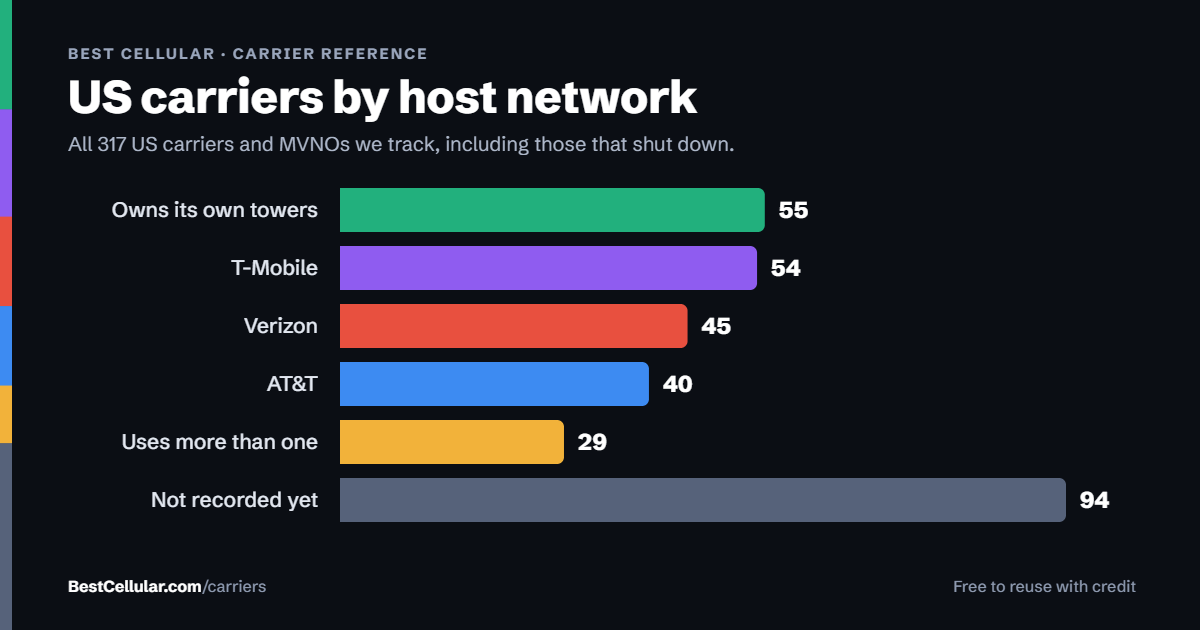
Same towers, different price
Google Fi runs on T-Mobile’s network
Google’s own coverage page says Fi provides nationwide 4G LTE and 5G through the T-Mobile network. Older write-ups describing Fi as a three-network service are out of date – T-Mobile is the only carrier Google names today.
Mint MobileT-Mobile network, T-Mobile owned. Prepaid in multi-month blocks.See how to switch →
Metro by T-MobileT-Mobile network with in-store support and device deals.See how to switch →
Compare every carrierEvery US carrier and MVNO, by networkBrowse the directory →
Sorted by price, cheapest first – not by what pays us. We filter by network first so you can check the coverage claim yourself. Best Cellular is not a wireless carrier and does not sell service. Some links on this site may earn a commission. Full disclosure.
Google Fi Wireless contact information
- Customer service: 1-844-825-5234
- Chat and callback: through the Google Fi app, or the Contact us link in Fi Help
- Hours: not published by Google
Common questions about leaving Google Fi Wireless
What towers does Google Fi use?
T-Mobile towers. Google’s own coverage page states that Google Fi Wireless provides nationwide 4G LTE and 5G coverage through the T-Mobile network. Some Google device pages still carry legacy “multiple networks” wording, but T-Mobile is the only carrier Google names anywhere now, and US Cellular – historically Fi’s second LTE partner – was absorbed by T-Mobile in August 2025.
What network does Google Fi use?
T-Mobile. Treat any surviving multi-network claim as old marketing copy rather than a description of today’s service.
How long is a Google Fi transfer PIN good for?
Fourteen days. Google states that an unused transfer PIN expires after 14 days; generate a new one by repeating the Get Transfer Info steps.
Why did my Google Fi port-out get rejected?
Four Fi-specific causes: Number Lock was still switched on, the service was paused during the transfer, the account number or PIN was typed with the wrong capitalization because the values are case-sensitive, or the name and address given to the new carrier did not match what Google has on file.
Does Google Fi have a customer service phone number?
Yes – 1-844-825-5234, published on Google’s own Fi support and FAQ pages. Google does not publish hours. Chat and callback through the Fi app are usually faster.
Do I have to cancel Google Fi before switching?
No. You go through the cancellation screen to reach the transfer information, but Google states the service stays active until the number transfers. Do not pause it either.
Cite this page
Sources
BestCellular.com is an independent reference, not a carrier. We read each fact above on Google’s own Google Fi pages. Checked October 13, 2026.
- Google Fi Help: Transfer your Google Fi number to a new carrier
- Google Fi Help: Mobile broadband consumer disclosure (networks)
- Google Fi: FAQ (customer service number)
Carriers change port-out steps without notice. Confirm with Google Fi before you start a transfer, and tell us if anything here has changed.
Best Cellular. “Google Fi Account Number & PIN: Accurate 2026,” BestCellular.com. https://bestcellular.com/google-fi/
Free to reuse with credit. Licence, sources and the full dataset.
Check Google Fi before you switch
Two free tools. No sign-up, nothing stored on our side.
Google Fi APN settings
Google Fi runs on the T-Mobile network. These are the APN settings Google Fi publishes for Android.
| APN | h2g2-t |
| MMSC | https://m.google.com/mms/wapenc |
Google publishes only the APN and MMSC. Google Fi is otherwise provisioned automatically.
Source: support.google.com · Checked 2026-09-22.
Open the full APN settings tool for Google Fi
Other carriers on the T-Mobile network
These brands use the same towers as Google Fi. Coverage is the same. Price, data priority when the network is busy, and customer service are not.
See which network every US carrier uses · Open the transfer PIN lookup