
Short answer: To leave Cox Mobile with your number, get your account number from your Cox bill or My Account, then request a Transfer PIN from Cox. If Number Lock Protection is on, Cox requires an ID scan first: it sends a link by text or email, and you have 24 hours to finish it. Keep Cox Mobile active until the port completes.
Account Number
Cox has no Cox Mobile port-out page now. US Mobile says to call Cox at (800) 234-3993 for your account number. Cox says existing account information stays the same after the move to Spectrum.
Transfer PIN
US Mobile says the Cox PIN is printed on the first page of your monthly Cox bill and can be seen in the Cox App. Cox does not publish this itself. If your line has moved to Spectrum Mobile, use Spectrum’s process.
Number Lock Protection is the step that trips up a Cox Mobile port-out
Cox describes Number Lock Protection as a complimentary feature that secures your account from unauthorized transfers of your mobile number and unauthorized SIM or eSIM changes. With it enabled, Cox says it requires an ID card scan to confirm your identity for three changes: the Transfer PIN (to port-out to another carrier), swapping a line to a different physical SIM, and swapping a line to a different eSIM device.
That is a real anti-fraud feature and worth having. It also adds a step before the PIN is issued. Finish the ID scan first, port, then turn the protection back on at the new carrier.
How to port your number away from Cox Mobile
- Disable Number Lock Protection if it is on. In My Account, open My Profile, choose Number lock protection under Password, Security & Privacy, select Disable, and confirm by text or email. Cox then sends a link to complete the ID scan.
- Finish the ID scan within 24 hours. Cox states the link expires after 24 hours, and a new link cannot be sent until the previous one has expired.
- Get your Cox account number from your bill or My Account.
- Call the Cox mobile team and request the transfer PIN. It is separate from your Cox account PIN.
- Start the port from the new carrier, never by cancelling Cox first. The FCC’s guide advises against cancelling the old service first.
- Keep the Cox line active until the new carrier confirms the number has moved.
Which network does Cox Mobile run on?
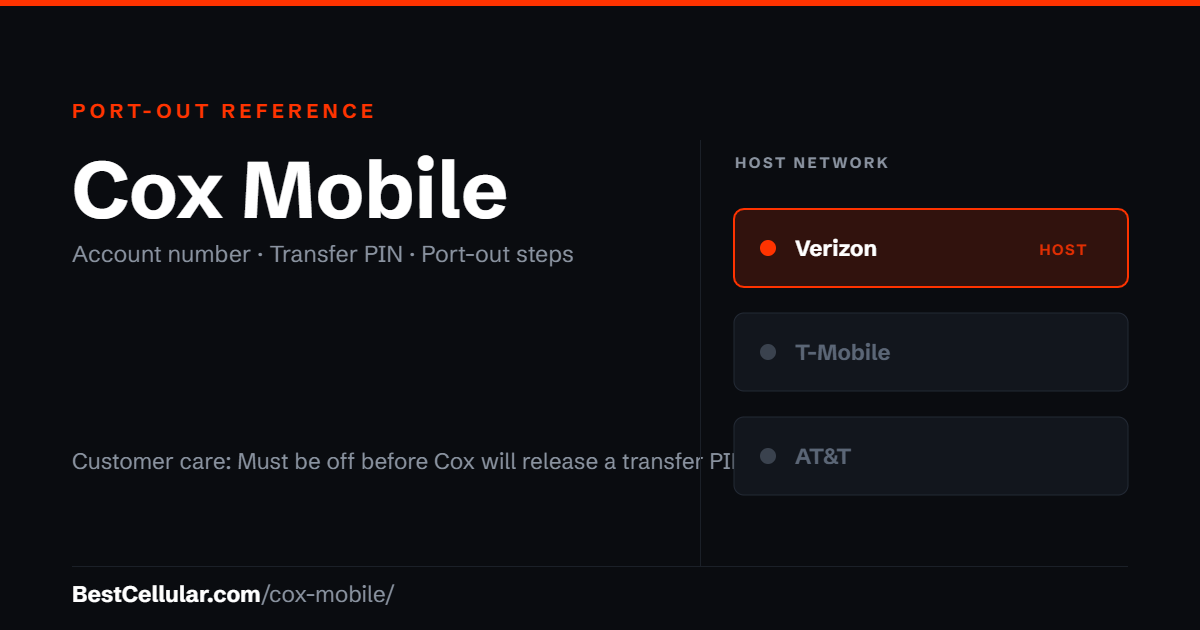
Verizon. The Cox support pages reviewed for this page do not name the network. Cox confirmed Verizon as its MVNO partner at CES in January 2023, as Light Reading reported, and Light Reading’s August 20, 2026 report on the Charter deal says both Cox Mobile and Spectrum Mobile have MVNO deals with Verizon.
Spectrum Mobile, which Cox Mobile is moving under, also runs on Verizon. Check coverage on the network your own line actually uses before you commit to a new carrier.
Sources
Cox Communications, Managing Cox Mobile Number Lock Protection — the ID card scan requirement for the Transfer PIN.
Cox Communications, Disabling Mobile Number Lock Protection — the My Account steps and the 24-hour ID scan link.
Cox Support Forum, Need to get transfer pin to switch from Cox mobile — the specialized mobile team and where its number appears.
Charter Communications, Charter and Cox Communications Complete Transaction, August 20, 2026 — the Spectrum brand transition.
Light Reading, Charter-Cox deal is a wrap, August 20, 2026, and Cox Mobile confirms Verizon as MVNO partner, January 5, 2023 — the host network.
FCC, Portability: Keeping Your Phone Number When Changing Service Providers — the federal number-portability rules.
Sources read October 11, 2026.
Where Cox Mobile customers usually go next
Cox runs on Verizon, so a Verizon-based carrier is the least disruptive switch — your phone is already compatible.
Cox Mobile port-out questions
Why won’t Cox give me a transfer PIN?
Number Lock Protection is the most likely reason. Cox says that with it enabled, the Transfer PIN requires an ID card scan to verify your identity. Complete the scan, then request the PIN again.
Is the Cox account PIN the same as the transfer PIN?
No. The Cox PIN protects your account with support. The transfer PIN is issued specifically to release your number to another carrier.
Do I have a separate Cox Mobile account number?
No. Cox Mobile lines sit on your existing Cox account, so the new carrier needs the Cox account number from your bill.
Should I cancel Cox before I port?
No. Start the port from the new carrier and let Cox close the old line when the port completes. Cancelling first can cost you the number.
Does the Spectrum merger affect my port-out?
Not legally, since number portability is a federal right. Practically, the brand and support routing change as Cox markets move to Spectrum after the August 20, 2026 close. Call the number on your statement.
How long does a Cox Mobile port take?
The FCC requires a simple port to be processed within one business day. Wireless-to-wireless moves often finish in a few hours once the new carrier has the correct account number and transfer PIN. Mismatched details are the usual cause of a rejection.
What is the Cox Mobile customer service number?
Cox has not published a mobile phone number or hours on the support pages reviewed for this page. Cox’s forum points to the Customer Information section of your monthly statement.
Cite this page
Sources
BestCellular.com is an independent reference, not a carrier. Cox Mobile does not publish these steps on a page we could read, so the steps above come from the secondary sources below. Confirm them with Cox Mobile before you start. Checked October 13, 2026.
- Cox: Spectrum & Cox, Your service stays the same, only stronger
- Cox: Contact Us, Cox is now Spectrum
- Cox: Stay connected on-the-go with Spectrum Mobile
- Wikipedia: Cox Communications
- US Mobile: Carrier porting information (Cox Communications entry)
Carriers change port-out steps without notice. Confirm with Cox Mobile before you start a transfer, and tell us if anything here has changed.
Best Cellular. “Cox Mobile Account Number & PIN: Accurate 2026,” BestCellular.com. https://bestcellular.com/cox-mobile/
Free to reuse with credit. Licence, sources and the full dataset.
Check Cox Mobile before you switch
Two free tools. No sign-up, nothing stored on our side.
Other carriers on the Verizon network
Every one of these rides the same towers. Coverage is identical; price, support and port-out rules are not.
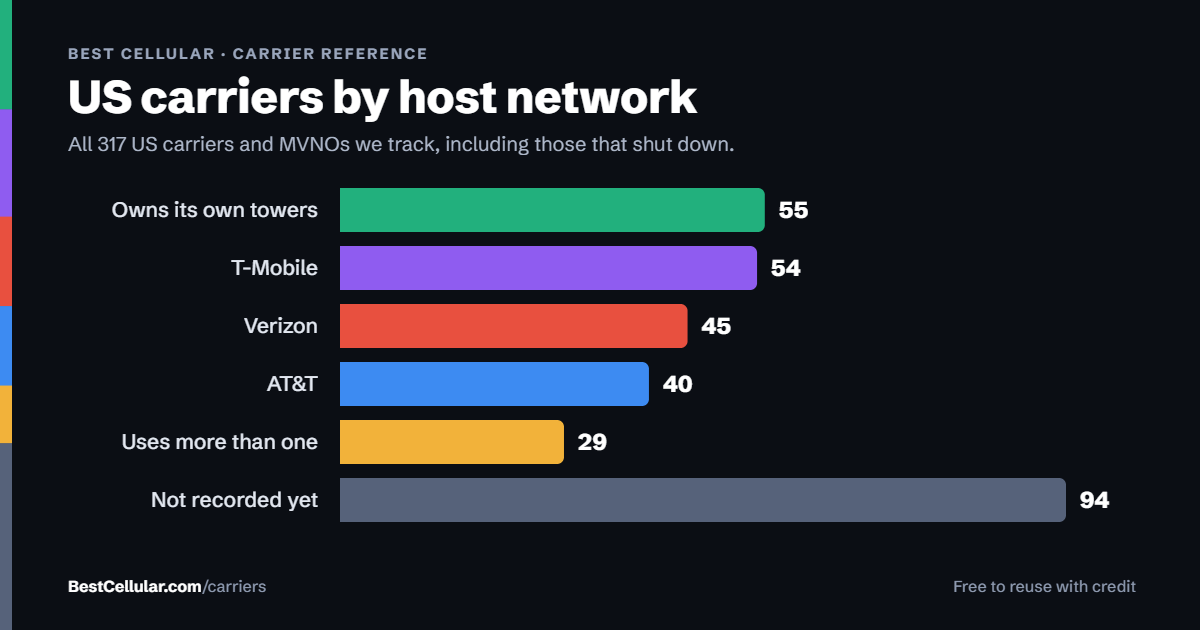
See which network every US carrier uses · Open the transfer PIN lookup